Installer la protection des points de terminaison avec l'extension VS Code
L'extension BoostSecurity IDE pour VS Code installe la protection des points de terminaison pour le poste de travail des développeurs. Elle installe également le serveur MCP de Boost, qui aide les assistants de codage agentiques à valider les packages et à réduire le risque de chaîne d'approvisionnement logicielle directement depuis l'IDE.
Exigences
Avant d'installer l'extension, assurez-vous d'avoir :
- VS Code installé, ou tout IDE basé sur VS Code (par exemple, Cursor, Windsurf et VSCodium).
- Accès à Internet pour le Visual Studio Marketplace.
- Un compte Boost ou une clé API Boost.
Installer l'extension
- Ouvrez VS Code.
- Ouvrez la vue Extensions.
- Recherchez BoostSecurity.
- Sélectionnez l'extension BoostSecurity dans le Visual Studio Marketplace.
- Cliquez sur Installer.
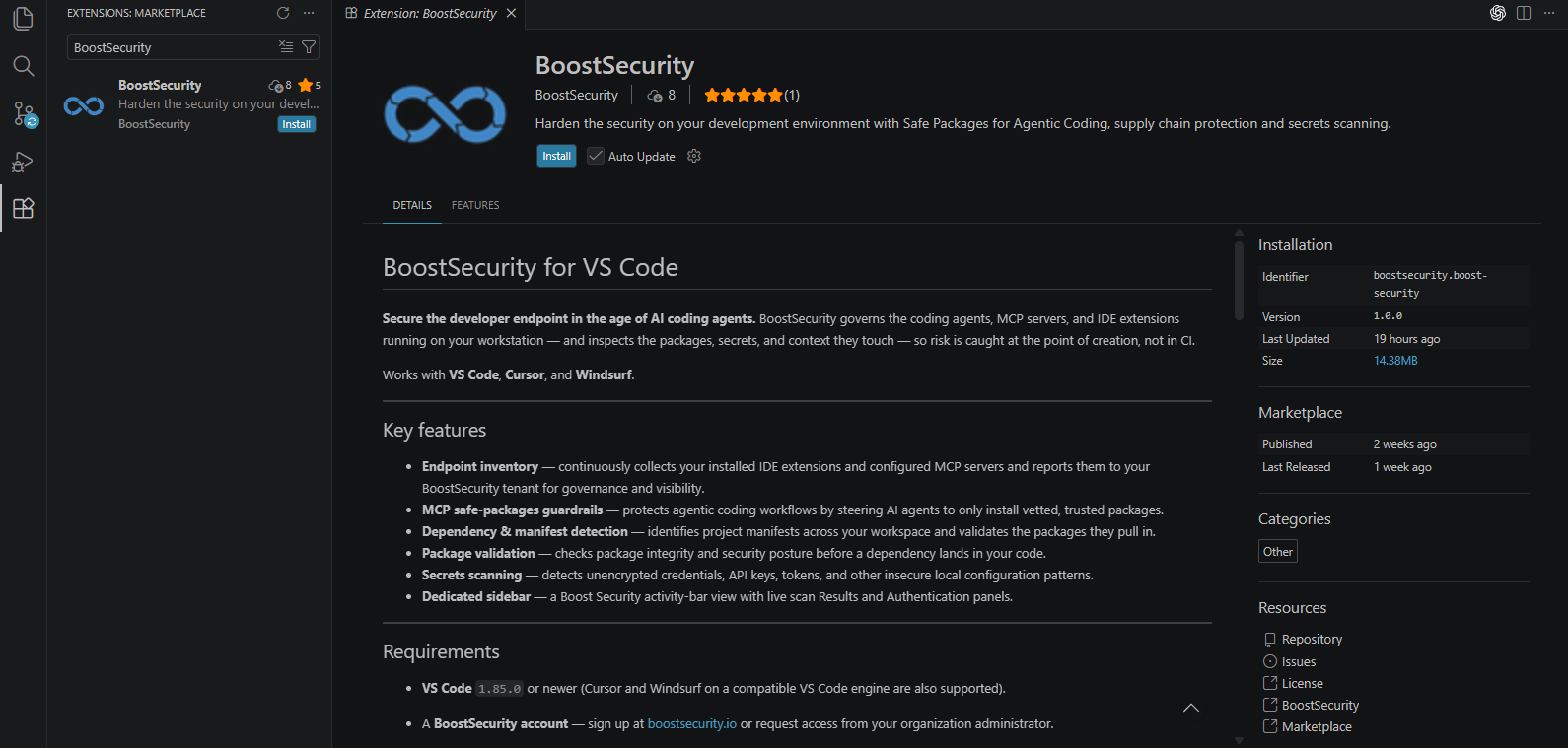
Après l'installation, l'extension BoostSecurity est disponible dans VS Code et peut être utilisée pour se connecter à BoostSecurity.
Connexion
Ouvrez l'extension BoostSecurity dans VS Code et choisissez l'une des options de connexion disponibles.
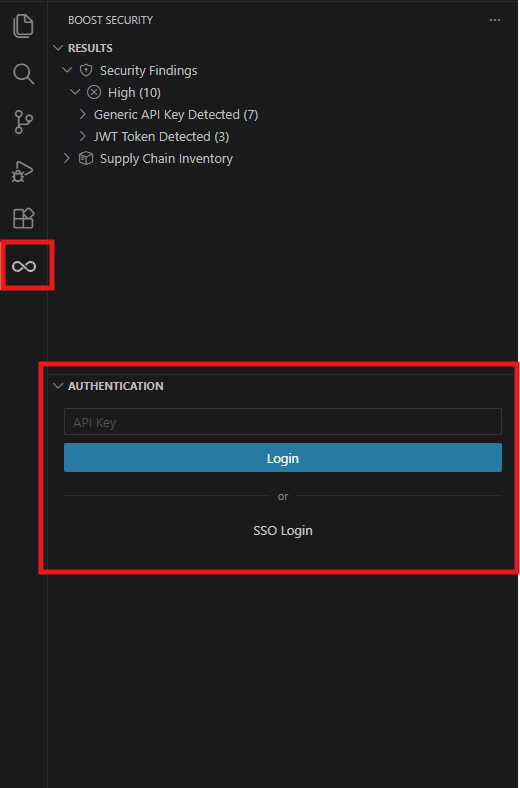
Connexion avec une clé API
Utilisez cette option si votre organisation authentifie l'extension avec une clé API.
- Obtenez une clé API à partir de l'une des sources suivantes :
- Générez-en une vous-même en suivant Comment créer une clé API.
- Demandez-en une à un membre de votre équipe AppSec.
- Ouvrez l'extension BoostSecurity ou exécutez la commande IDE
>Boost Security: Login with API Key - Collez la clé API et cliquez sur 'Connexion'
Note
Conservez la clé API en sécurité. Si vous générez la clé vous-même, BoostSecurity n'affiche la valeur de la clé qu'une seule fois.
Connexion avec SSO
Utilisez cette option si votre organisation authentifie les utilisateurs avec l'authentification unique (SSO).
- Confirmez que vous avez un compte BoostSecurity actif.
- Ouvrez l'extension BoostSecurity ou exécutez la commande IDE
>Boost Security: SSO Login - Complétez le processus SSO basé sur le navigateur.
- Retournez à VS Code une fois l'authentification terminée.
Serveur MCP
Installer l'extension VS Code installe également le serveur MCP de Boost pour un codage agentique plus sécurisé. Le serveur MCP aide les assistants de codage AI à valider les packages avant qu'ils ne soient introduits dans un projet et peut fournir un accès authentifié aux résultats de BoostSecurity lorsqu'il est configuré avec une clé API.
Pour plus d'informations, consultez Serveur MCP de BoostSecurity et Installation & Configuration.