SBOM Upload
Boost Security supports the direct upload of Cyclonedx SBOM files through the UI.
This enables users to generate and upload CycloneDX-format SBOMs for standalone analysis, which Boost Security then enriches with vulnerability insights, risk scores, and metadata, without requiring build pipeline integration. SBOMs uploaded via this method receive the same treatment as those generated from integrated projects which include:
- Vulnerability enrichment (CVEs, EPSS, CVSS v3.1)
- Malware detection
- OpenSSF scorecard data
- License insights
- Dependency graph resolution (including transitive dependencies)
Once uploaded, the file is treated like any other inventory: enriched, monitored, and visualized through the SBOM interface.
How to upload CycloneDX SBOM files
To upload a CycloneDX SBOM file:
-
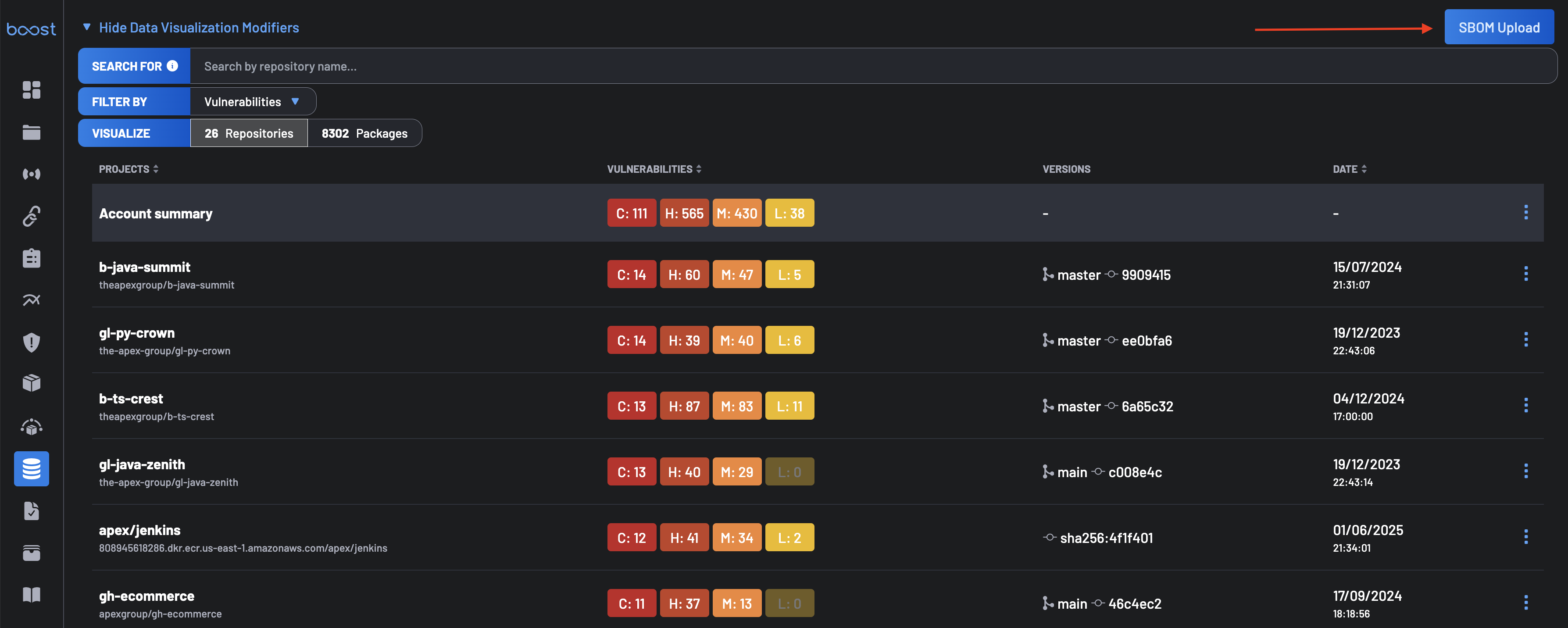
Navigate to the SBOM page of the Boost Security dashboard.
-
Click on the SBOM Upload button at the top right of the interface.
-
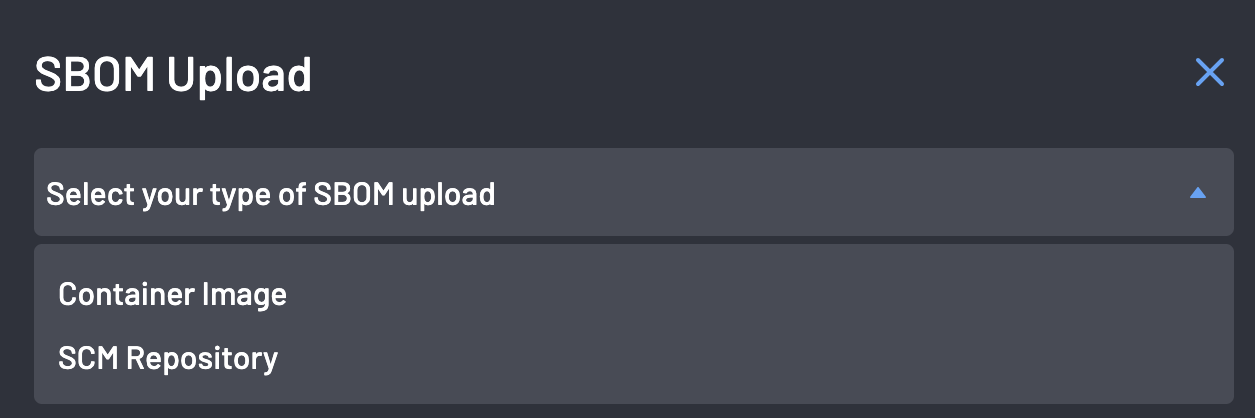
From the modal that appears, select the SBOM Type: Container Image or SCM Repository.
-
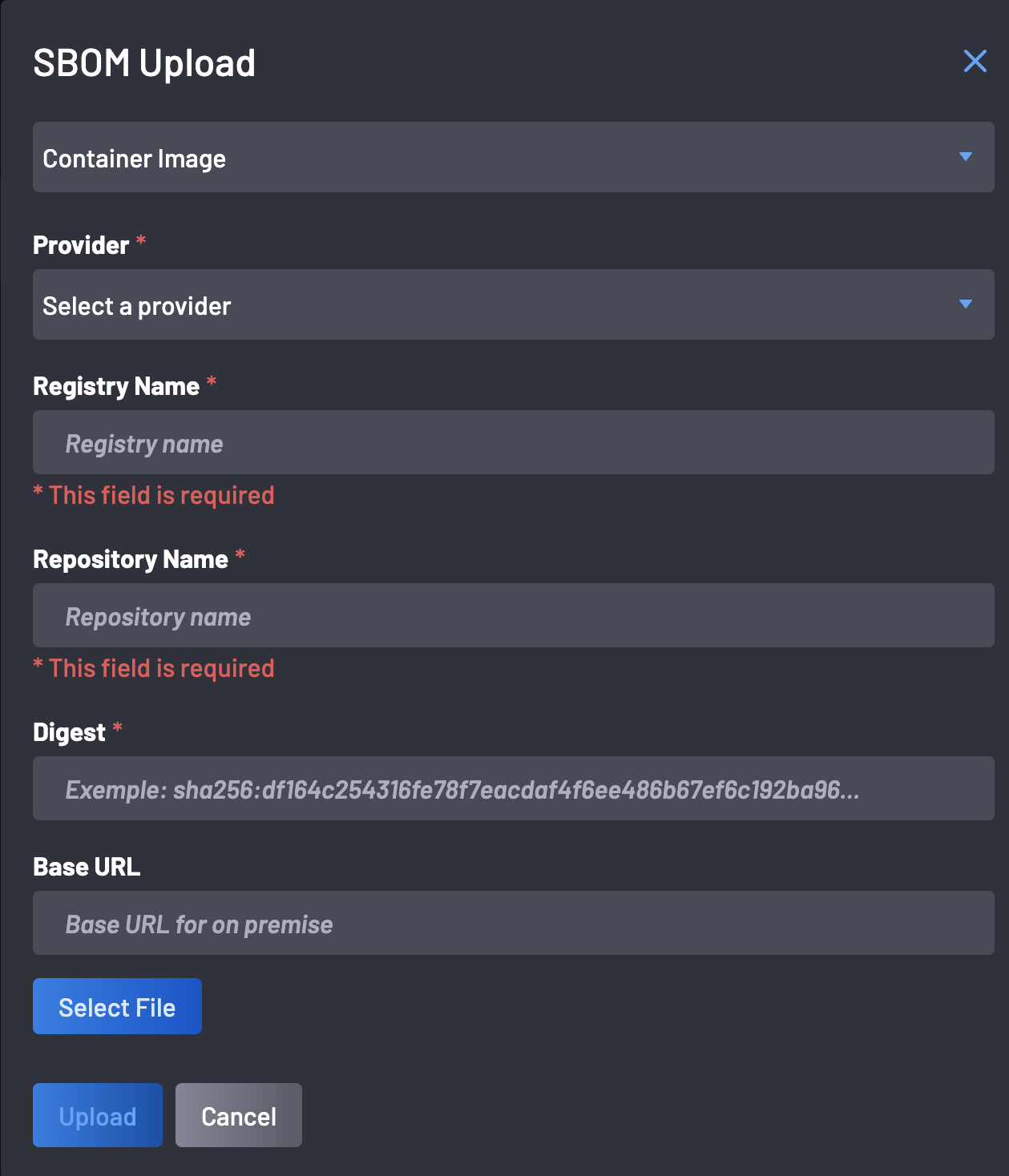
Fill in required parameters and upload the file. Depending on your selected SBOM type, provide the required fields and select your CycloneDX file.
-
For Container Image uploads:
- Provider: Select the container registry service where your image is hosted. Supported providers include Docker Hub, AWS ECR, Google Container Registry, and others.
- Registry Name: Enter the domain or hostname of your container registry. For example,
registry.hub.docker.comor123456789.dkr.ecr.us-west-2.amazonaws.com. - Repository Name: Specify the name of the repository within your registry that contains the container image. For instance,
my-application/backend-service. - Digest: Provide the SHA256 digest of the specific image version you intend to upload. This ensures the exact image is identified. An example digest would be
sha256:abc123.... - Base URL (Optional): If you're operating in an on-premise environment or using a private registry, input the base URL of your registry here. This helps Boost Security locate and access your registry appropriately.
- Select File: Click this button to browse and select the CycloneDX SBOM file corresponding to your container image.
Finally click the Upload button to finish the SBOM upload.
-
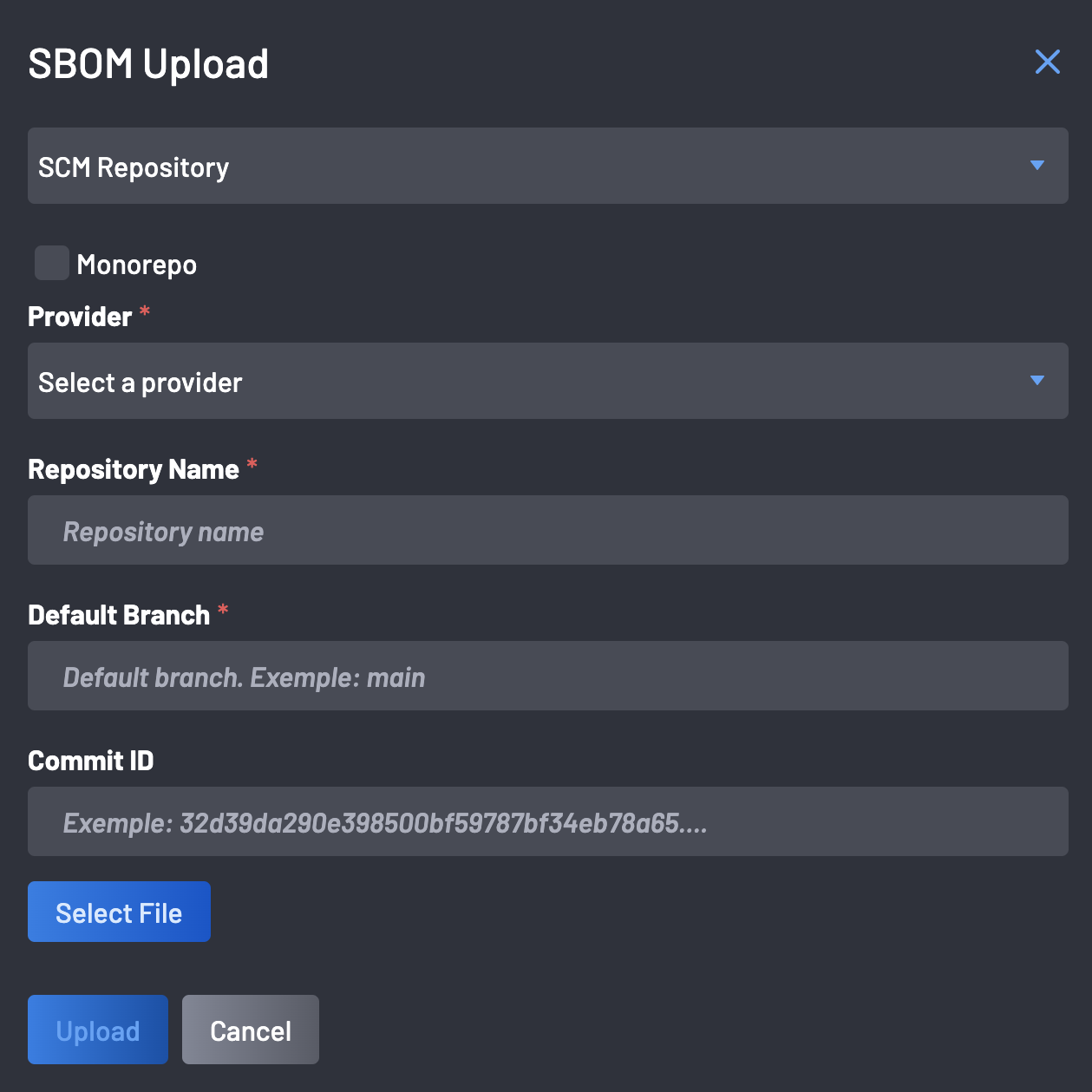
For SCM Repository upload, fill out the required parameters:
- Monorepo: If your repository is a monorepo containing multiple projects or services, indicate this here. This helps in accurately associating the SBOM with the correct sub-project.
- Provider: Choose the source code management (SCM) platform hosting your repository, such as GitHub, GitLab, Bitbucket, etc.
- Repository Name: Enter the full path to your repository, typically in the format organization/repository-name.
- Default Branch: Specify the primary branch of your repository, commonly
mainormaster. This identifies the branch from which the SBOM was generated. - Commit ID: Provide the unique SHA hash of the commit corresponding to the SBOM. This ensures the SBOM is tied to a specific state of your codebase
Finally click the Upload button to finish the SBOM upload.
-
Once the upload is complete, the SBOM will be automatically analyzed, and vulnerabilities will be detected and enriched.