Boost Security API
Explore Boost Security's API section, your comprehensive resource for leveraging the powerful capabilities of our API. Whether creating API keys for authentication or utilizing the GraphQL API for data querying and manipulation, these guides provide step-by-step instructions to streamline your integration efforts.
Explore the pages below to delve into specific API-related topics:
- Creating an API Key
- Managing API Key Expiration
- Using the GraphQL API
- Audit Endpoint
- Integrations using GraphQL API
- Integrating Boost Security with Power BI
API Key Roles
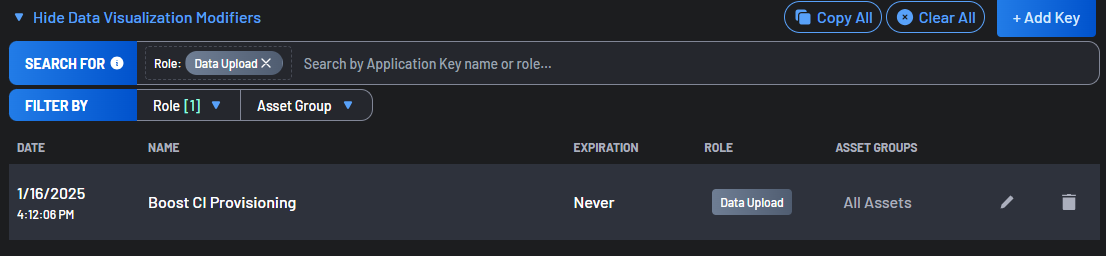
Every API key has a Role, and the key can reach exactly what that role allows. The role is shown in the Role column of the Application Keys list and can be filtered on there.
| Role | What a key with this role can do |
|---|---|
| User | Read the platform, plus the write actions a user can perform. This is the default for a key created from the Application Keys form. |
| Viewer | Read the platform. Nothing else. |
| Endpoint | Register devices with Endpoint Protection. No other access, including no read access to the platform. Offered only on accounts where Endpoint Protection is enabled. The Endpoint Protection Installation page is a shortcut to create one: the deployment tokens it creates are Endpoint keys. |
| Data Upload | Upload scan, SBOM and telemetry results, and fetch the policies needed to run a scan. Cannot read the platform. These keys are created and managed by Boost Security for integrations such as Zero Touch Provisioning, and cannot be created from the Application Keys form. They still appear in the Application Keys list. |
Anything that queries Boost Security — the GraphQL API, Power BI, the MCP server, or any reporting client — needs a User or a Viewer key.
Warning
A Data Upload or Endpoint key cannot read the platform.
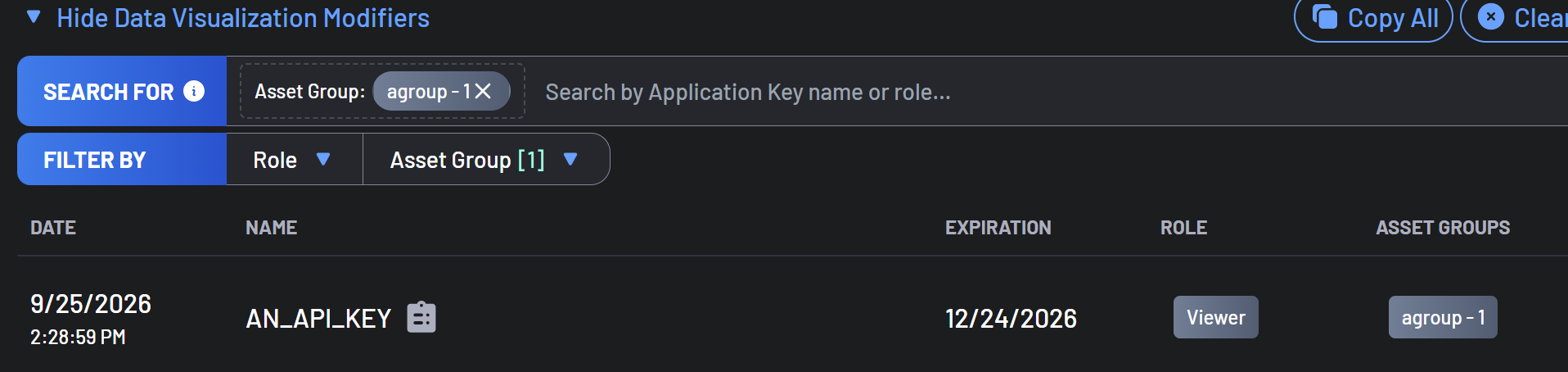
A key is also associated with an Asset Group: All Assets, the default, which gives the key access to every asset, or one of your asset groups. A key associated with an asset group can only access the data of the assets in that group. The Asset Groups column of the Application Keys list shows each key's asset group, and the Asset Group filter narrows the list to the keys of one group.
Creating a key through the GraphQL API with an explicitly empty list of roles is refused. Omitting the roles argument still produces a User key, as before.
Permission Errors
When a key is used for something its role does not allow, the response depends on the interface:
- The GraphQL API returns
Permission denied, requires the Read_Only role, naming the role shown as Viewer in the table above. - Other Boost Security API requests return a bare
401 Unauthorizedwith no message body.
That 401 is worth recognizing, because it is the same response an invalid, revoked or expired key produces. When a key that used to work starts returning 401 on a read and the key itself is still valid, its Role is the thing to check: an Endpoint or Data Upload key has no read access.