Integrating Upwind to Boost Security
Integrating Upwind with Boost Security adds runtime context from your cloud environment to your code-to-cloud view. Once the integration is enabled, Boost Security retrieves the following from your Upwind organization:
- Kubernetes Topology and Services: The clusters reported by Upwind, with their namespaces and services.
- Container Image Assets: The container images running in your Kubernetes workloads, linked to the cluster, namespace and service that run them.
- Services Exposed to the Public Internet: The services that Upwind observes receiving traffic from the internet.
Upwind provides context only: the integration does not create findings of its own.
Availability
The Upwind integration is available for all Boost Security users with the necessary permissions in both platforms.
Benefits of the Integration
- Runtime Context: Adds the Kubernetes topology and internet exposure observed by Upwind to your code-to-cloud view.
- Improved Risk Prioritization: Uses internet exposure in policy rules to prioritize the risks that are reachable at runtime.
- Asset Inventory: Adds the container images running in your clusters to Boost Security's asset inventory.
Prerequisites
Before enabling the Upwind integration, ensure the following:
- Boost Security Account: You must have access to your Boost Security workspace.
- Upwind API Client: An Upwind API client, with its client ID and client secret, that has read access to your organization's inventory. See the Upwind API documentation to create one.
- Upwind Organization ID: The ID of your Upwind organization, which starts with
org_.
Note
Upwind does not link container images to their source code repositories. To bring Upwind's internet reachability to the findings of a repository, link the container images to that repository in one of these ways:
- Associate the repository manually from the image asset's details on the Asset Management page, with Associate Repository > Select Repository.
- Label the images with the
org.opencontainers.image.sourceOCI label, and inventory them through the Google Artifact Registry integration, Amazon ECR, or a Trivy Image scan in your pipeline. See Kubernetes Code-To-Cloud Visibility.
Enabling the Integration
-
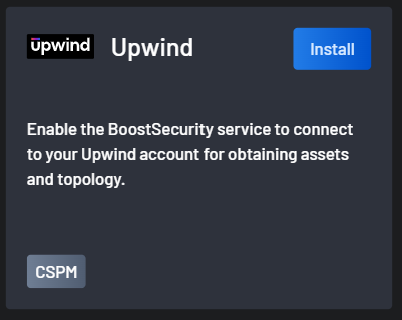
Navigate to the Integrations page in Boost Security and select Upwind in the CSPM category.
-
Click the Install button.
-
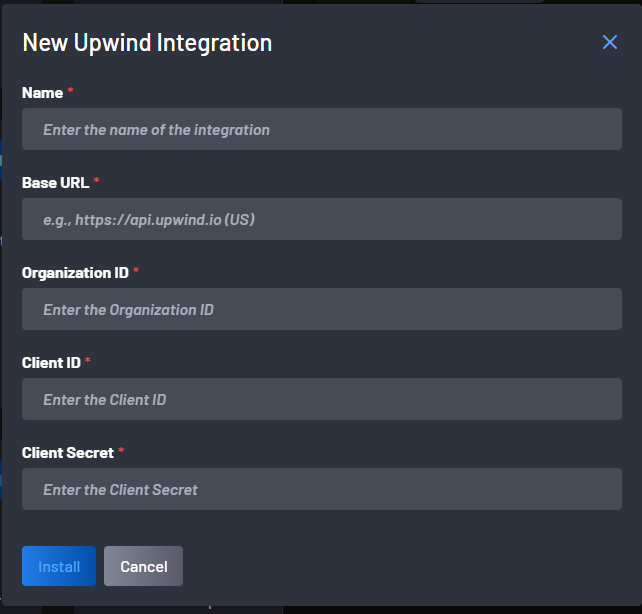
In the New Upwind Integration modal, fill in every field:
- Name: The display name of the integration.
- Base URL: The Upwind API URL of your region, for example
https://api.upwind.iofor the US region. The URL must match your region's API URL exactly. - Organization ID: The ID of your Upwind organization.
- Client ID and Client Secret: The credentials of your Upwind API client. The client secret is stored encrypted and is never displayed again.
-
Click Install. The button stays disabled until every field is filled in.
Boost Security tests the credentials before saving the integration. When they work, the message Upwind Connector has been created successfully. is displayed. Otherwise, an error is displayed in the modal:
| Error | Cause |
|---|---|
| Authentication failed. or Failed to fetch token. | The client ID, the client secret, or the base URL is incorrect. |
| Failed to access Upwind API for organization: {id}. | The credentials are valid, but the organization ID is incorrect or cannot be accessed with them. |
Boost Security retrieves your Upwind inventory once a day. The first retrieval runs after the installation, so the assets don't appear immediately.
Discovered Assets
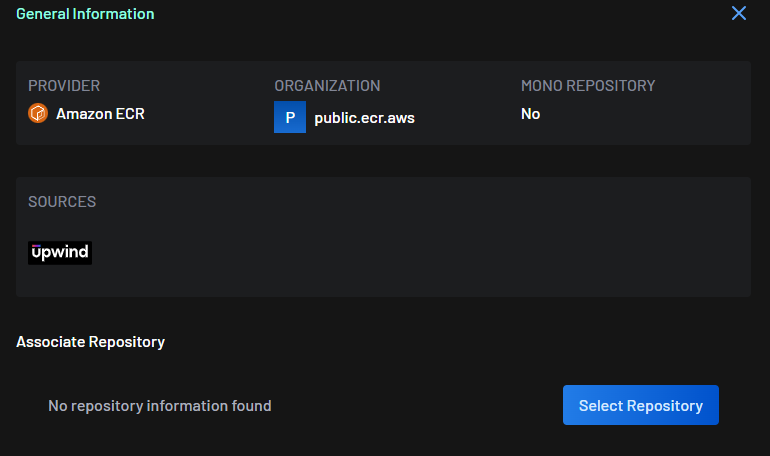
Boost Security discovers the Kubernetes clusters reported by Upwind (for example, EKS, AKS, or GKE clusters), along with their namespaces and services. Each distinct container image running in a Kubernetes Deployment becomes a container image asset, which shows Upwind under Sources in its details on the Asset Management page.
The following are not imported:
- Workloads run by StatefulSets, DaemonSets, or standalone pods.
- Services that don't select a Deployment.
- The Amazon ECR repositories listed in Upwind.
Internet Reachability
A service is marked as reachable from the public internet when Upwind observes internet ingress on a Deployment that the service selects in the same namespace. A container image asset records whether a service running it is reachable from the internet.
Services without a selector, ExternalName services, and headless services are never marked as reachable.
Use the Internet Reachability policy action to target the findings of internet-reachable workloads in your policy rules. This applies to the container images linked to a repository, as described in Prerequisites.
Managing the Integration
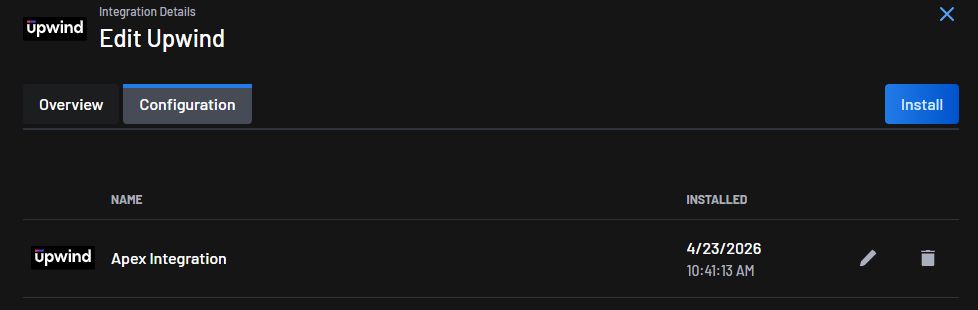
Manage the integration from the Configuration tab of the Upwind integration details, on the Integrations page. The tab lists the installed Upwind integrations, with an edit (pencil) and a remove (trash) icon on each row.
-
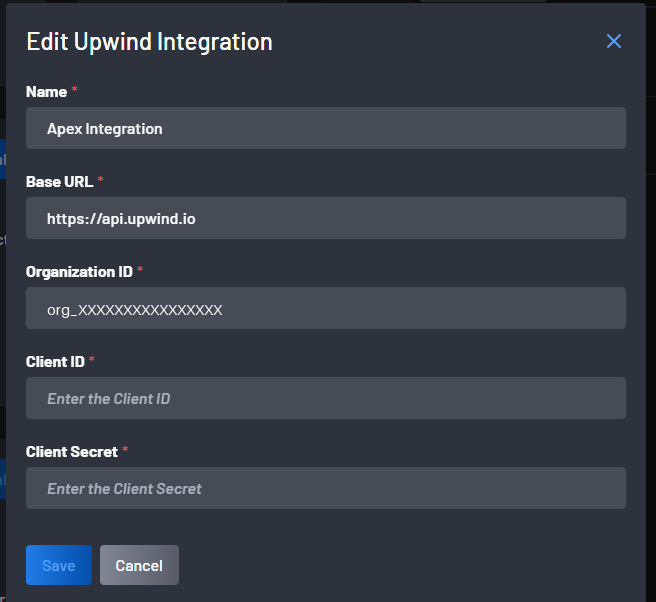
Edit: The Edit Upwind Integration modal changes the Client ID and Client Secret only. Boost Security tests the new credentials when you click Save, then displays Upwind has been configured successfully. The modal displays the name, base URL, and organization ID, but they cannot be changed: to change them, remove the integration and add it again.
-
Remove: Removing the integration displays Upwind has been removed successfully. and deletes the assets discovered through Upwind.
Conclusion
The Upwind and Boost Security integration brings runtime exposure from your Kubernetes environment into Boost Security, so security teams can prioritize the risks that are reachable from the internet.